QR code, no app install
Scan the QR sticker, the menu opens in the browser. No download, no friction, no sign-up. Works on every phone made in the last decade.
A digital menu accessible from a QR code on the table. Multi-language, photo-led, allergen-aware. Guests browse, order and pay, and the order lands directly on the kitchen display.
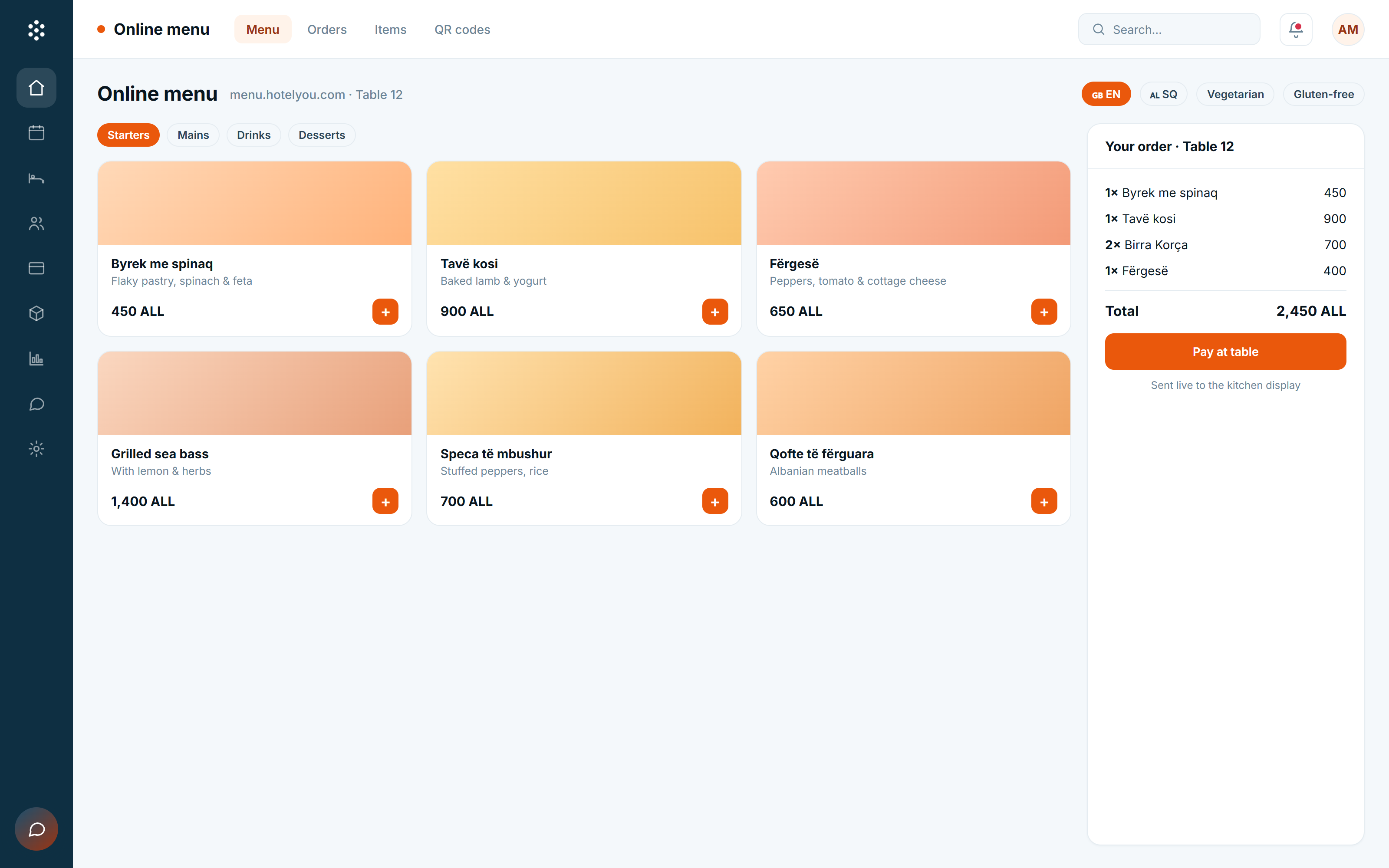
Built for the moment a guest is sitting down, hungry, and looking at a QR sticker on the table. Loads instantly, reads in their language, and gets the order to the kitchen in seconds.
Scan the QR sticker, the menu opens in the browser. No download, no friction, no sign-up. Works on every phone made in the last decade.
English, Albanian, Italian, German, Spanish, French and more, switched with one tap, with all dish descriptions and allergens translated.
Vegan, vegetarian, gluten-free, dairy-free, nut, shellfish, and the full EU allergen set, clearly marked, always up to date with the kitchen.
Photo-first cards or text-first cards, your call. Photo CDN handles resizing and lazy loading so the menu loads in under a second on 4G.
Guests pay from the menu. Apple Pay, Google Pay, card, or charge to their room. No flagging down a server with a card terminal.
Orders fire straight onto the same KDS as orders from the POS terminal, same prep stations, same course timing, same allergen flags.
Most "QR menu" tools are takeaway-first and feel like it. Ours is built for the table, the rhythm of courses, the wine list, the dietary requests, and the moment a guest decides to add a dessert.
A QR sticker at the table opens the menu in the browser. The first paint is under a second on a mid-range phone, even on 4G. Photos lazy-load, the language picker is one tap, and the allergen icons are clear at a glance.
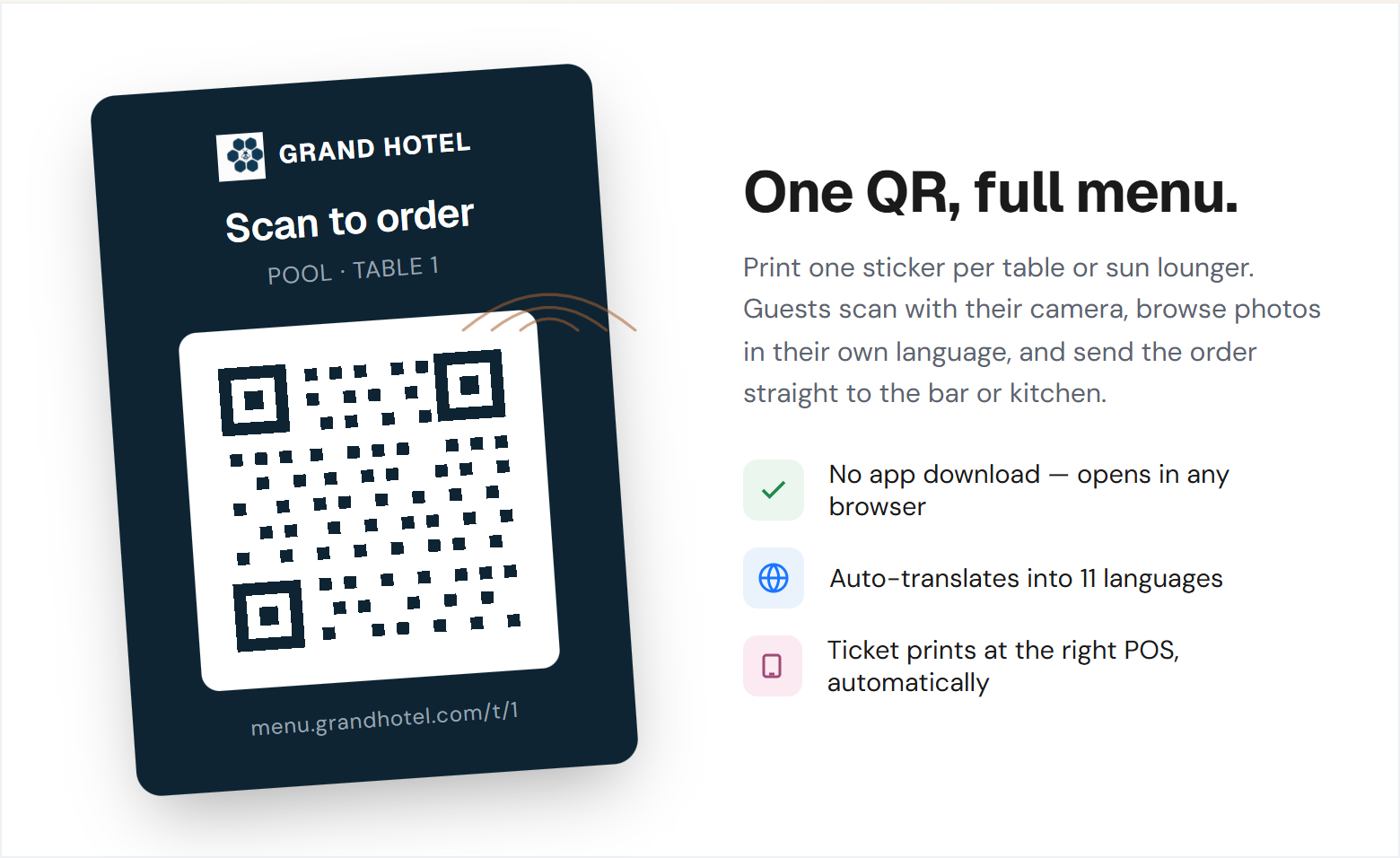
Translations are managed once, propagated across every dish and modifier. Allergens come from the recipe in the inventory module, so when the kitchen swaps an ingredient the menu updates the same minute. No hand-edited PDFs, no out-of-sync allergens.
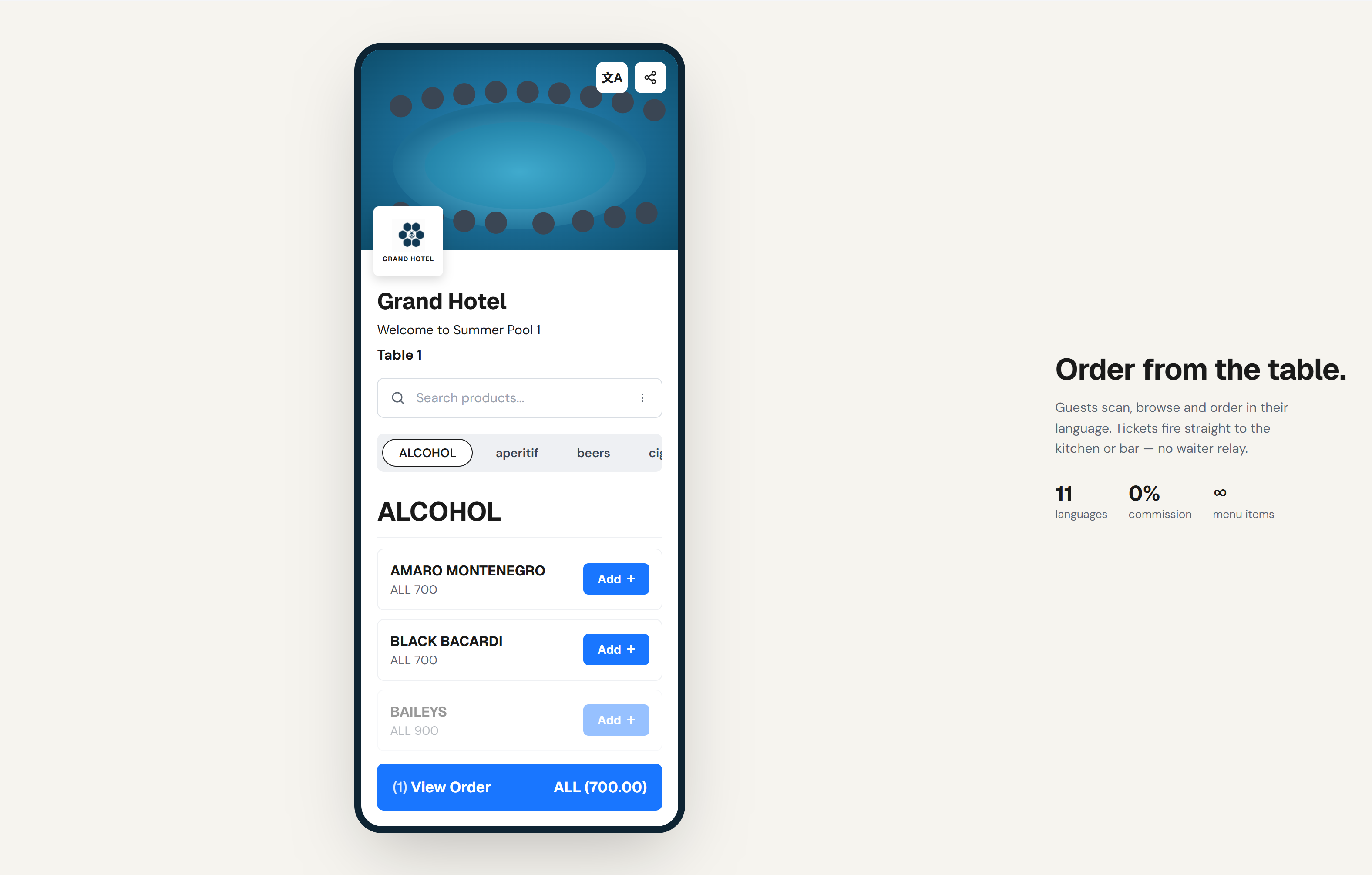
Tap the Negroni, tap the steak, tap pay, the order lands on the right station of the kitchen display, the bar gets the cocktail ticket, and the guest charge sits on the room folio or the saved card. The server delivers food, not orders.
Connects to the POS, KDS, payments and PMS so the menu is just a guest-facing window into the same kitchen and bar your servers are running.
We swapped paper menus for QR codes during a slow week to "try it". Two months later we cannot go back. Server time at the table is half what it was, allergen confusion is gone, and we sell more drinks because the menu is right there in the guest's hand.
The online menu is most powerful as the front-of-house extension of the rest of your F&B stack. The modules below carry the order from the table to the kitchen to the bill.
Don't see your question? Talk to our team.
No. The menu is a normal mobile web page that opens from a QR code in any browser. We deliberately built it without an app install requirement, adoption drops off a cliff the moment you ask a guest to download something for a meal.
Allergens are pulled live from the recipe in the inventory module, not hand-edited per menu item. When the kitchen swaps an ingredient, allergens update everywhere within seconds, the QR menu, the in-house menu, the printed allergen card.
Yes. Apple Pay, Google Pay, card, or charge to their room if they are staying. The order is fired to the kitchen at the moment of payment, so the kitchen starts the dish before a server gets back to the table.
Yes. The order lands on the same kitchen display as orders from the POS terminal, split by station, with course timing and allergen flags. Servers can override or hold orders if needed; the default is for the kitchen to start prepping immediately.
Yes. Each outlet has its own menu, its own QR codes, its own opening hours and its own routing. The menu engine respects opening hours (no breakfast at 9 PM) and station capacity (no more steaks if the grill is at par).
Each table has a unique QR code that encodes the table ID. When a guest scans, the order is automatically associated with that table. For room-service flows, the room number replaces the table ID and charges go to the folio automatically.
Free plan available. No credit card required. Generate your first QR code in under five minutes.