Venues & availability
Set up every hall, terrace and meeting room. When you book, HotelBee shows whether the venue is free, busy or too small for the guest count, including setup and breakdown time. Single days, several days or whole days.
Weddings, conferences, gala dinners and private parties in one place. Book the venue, choose the menu, track guest counts and deposits, attach the guest list, and turn the event into one invoice when it is over.
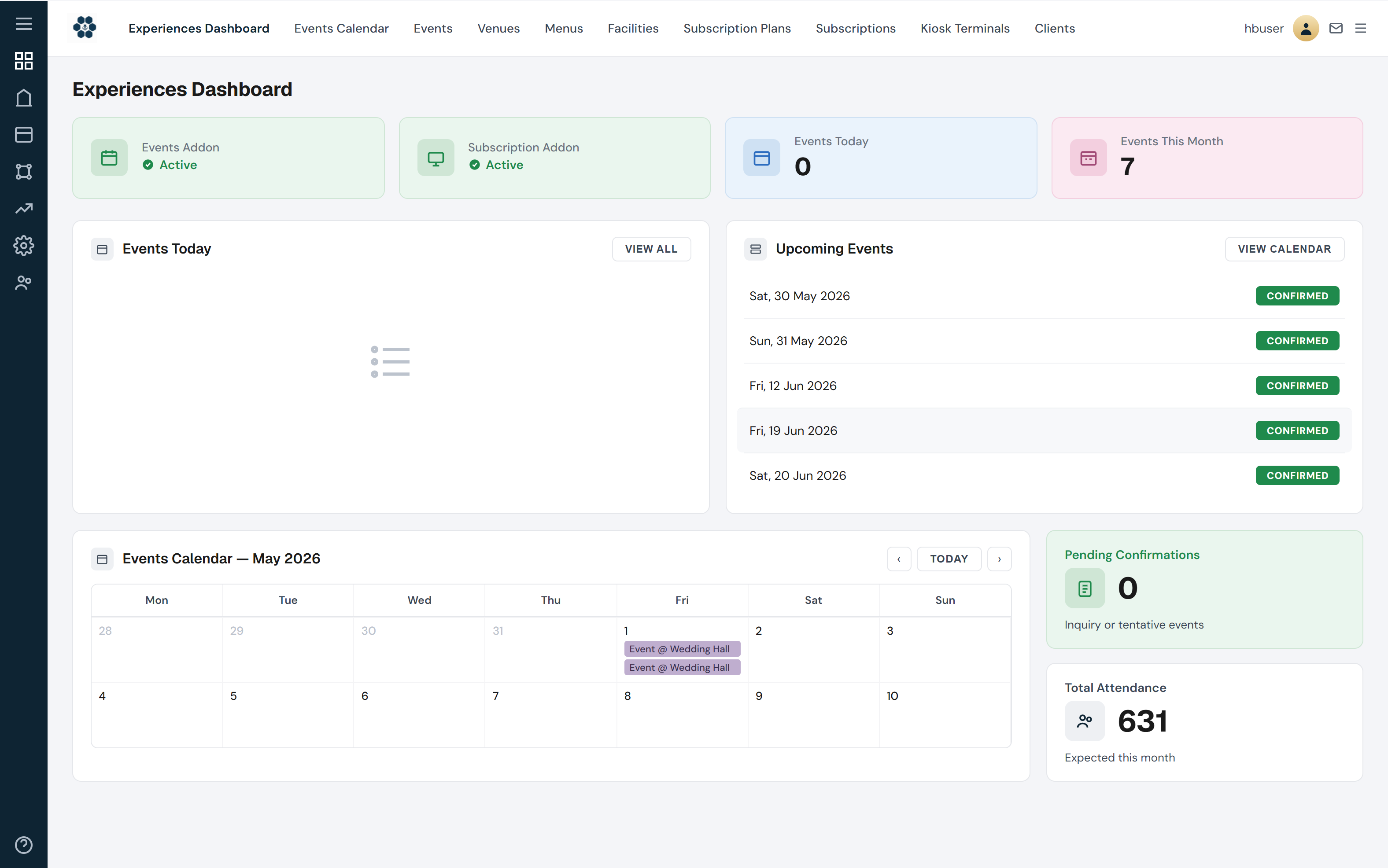
The venue, the date, the clients, the menu, the guest count, the deposits and the bar tab all sit on the same event. Nothing to copy between a calendar, a spreadsheet and the invoice.
Set up every hall, terrace and meeting room. When you book, HotelBee shows whether the venue is free, busy or too small for the guest count, including setup and breakdown time. Single days, several days or whole days.
Build menus by course with dietary tags, priced per person or by guest count. Each menu shows its cost and food cost % per guest, and its ingredients come out of stock for the event.
Link one or more clients with a main contact, and track expected, guaranteed and actual attendance. Special requests, tags, notes and the event manager stay on the record.
Attach the guest list as a PDF, photo, Word or Excel file. Guest lists hold personal data, so files are stored privately and open through short-lived links.
Ask for a 20, 30 or 50% deposit with a prepayment invoice, or record a payment directly. Total, paid and balance are always on the event.
Turn the event into an invoice with the venue, the menu and the orders charged to it, and the payments taken so far move onto it. In Albania it is fiscalized like any other invoice.
An event starts as a phone call about a date and ends with a final invoice and a guest list nobody else should see. HotelBee covers each step in between.
Pick the date and time, for one day or several, with setup and breakdown if you need them. Choose the venue and see straight away whether it is free. Add the clients, the menu and the price, per event, per day, per hour or per person, with any discount. Then confirm, and ask for a deposit or record a payment from the same screen.
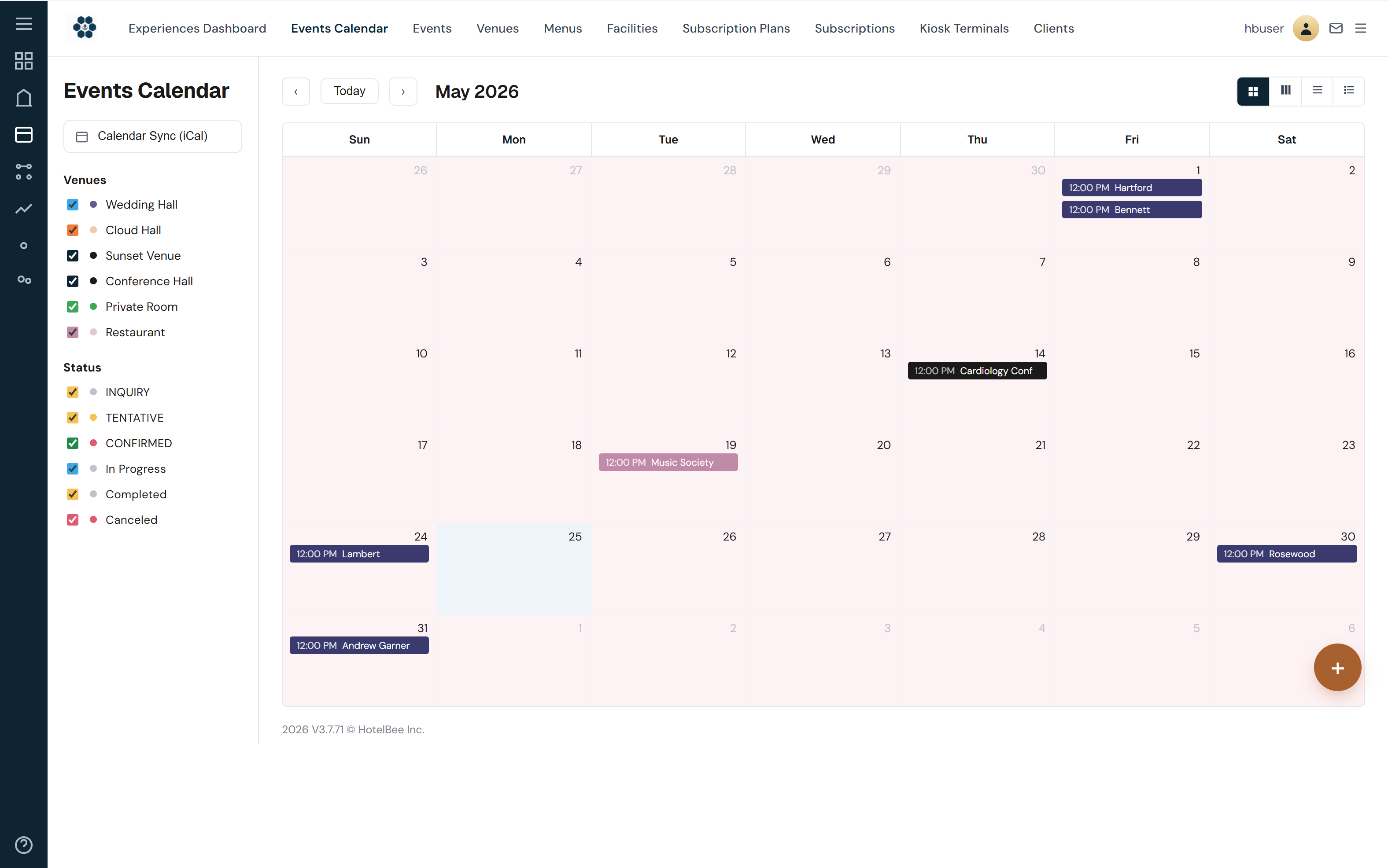
The events calendar shows every event by venue and status, in month, week, day or list view. Filter by venue or status to plan the week. Subscribe to the iCal feed from Google Calendar, Outlook or Apple Calendar so the team sees events on their phones, or import existing events from an iCal file or link.
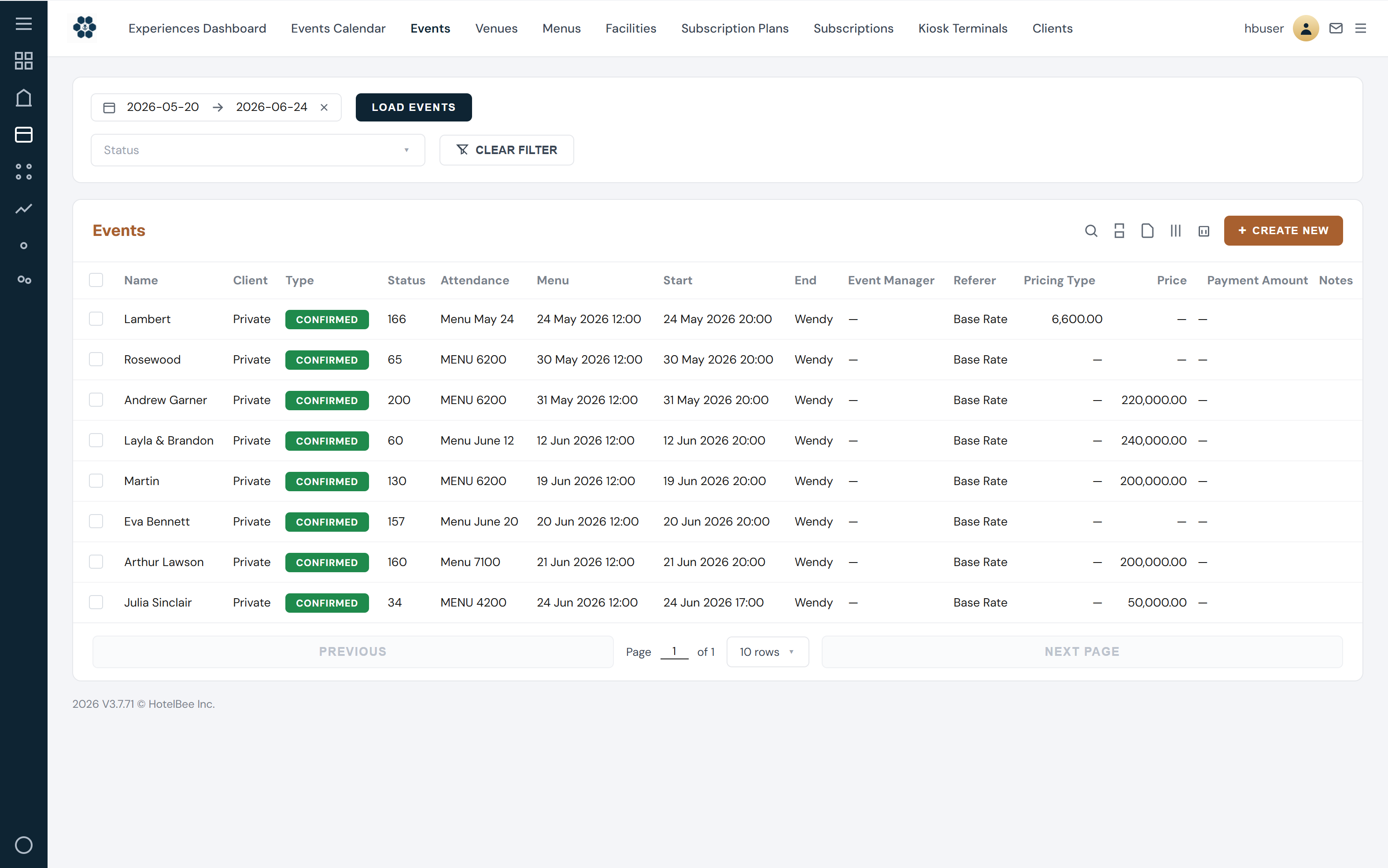
Each event keeps its own billing: total, paid and balance, with its invoices, payments and orders side by side. Bar tabs and extras opened for the event add to the balance. When the event is over, create the invoice with the venue and the menu, and the payments already taken move onto it.
Clients, catering, stock and invoices live in the same system as your events, and the calendar feed reaches the apps your team already uses.
Wedding season used to be a stack of binders, three WhatsApp groups, and one Excel sheet that nobody touched. Now we plan, run and invoice each wedding in HotelBee, the BEO, the rooming list, the AV schedule, the bar tab, the final invoice, all in one place. Saturday nights got their breath back.
A great event lives across the property, the clients, the food, the drinks and the finances. The modules below complete the picture.
Yes. When you pick the date and the venue, HotelBee checks the venue’s other events, including setup and breakdown time, and shows whether it is free, busy or too small for the guest count. It warns rather than blocks, so the final decision stays with you.
Per person, or by guest count with price tiers, for example one price up to 50 guests and another above. Each menu shows its cost and food cost % per guest, and its items deduct their ingredients from stock, multiplied by the attendance.
After confirming, ask for a deposit as a prepayment invoice (20, 30 or 50%, or any amount) or record a payment directly. Payments in another currency are converted to the event’s currency. The event shows total, paid and balance, and its payments appear in your cash and shift reports.
Create the invoice from the event. It includes the venue and the menu, orders charged to the event are added to the balance, and the payments already taken move onto the invoice. In Albania the invoice is fiscalized like any other.
Yes, through an iCal feed. Subscribe to it from Google Calendar, Outlook or Apple Calendar and events appear there automatically. You can also import events from an iCal file or link. The feed is one-way: changes made in the calendar app do not come back to HotelBee.
On the event, as PDF, photo, Word or Excel files. Guest lists hold personal data, so they are stored privately and open through a link that expires after a few minutes.
Yes. Conferences, gala dinners, private parties, meetings and weddings all use the same flow. Set the event type and tags to tell them apart in the list and in reports.
Free plan available. No credit card required. Book your first event in under fifteen minutes.